Set Up IPTV on Firestick step-by-step 2025
How to Set Up IPTV on Firestick in 2025 (Step-by-Step Guide)
Looking to set up IPTV on your Firestick in 2025? You’re in the right place. This updated guide walks you through every step from preparing your Fire TV Stick to installing your IPTV app so you can enjoy thousands of live channels, movies, and sports in stunning 4K quality.
Whether you’re a first-time user or upgrading your current setup, this quick tutorial will help you get IPTV running smoothly and securely on your Fire TV Stick.
💬 Need help?
Contact us anytime by clicking the WhatsApp icon on your screen we’re available 24/7 to assist, answer questions, or activate your IPTV subscription.

What You Need Before Installing IPTV on Firestick
Before you start, make sure you have everything ready for a smooth installation. You’ll need:
-
A stable and fast internet connection (minimum 20 Mbps recommended)
-
An active IPTV subscription
-
A Fire TV Stick properly plugged into your TV’s HDMI port
These simple preparations take just a few minutes and help guarantee a seamless streaming experience later.
Enable Apps from Unknown Sources on Firestick
To install IPTV apps that aren’t listed on the Amazon Appstore, you’ll need to enable installation from unknown sources. This step gives your Firestick permission to install trusted third-party apps safely.
Here’s how to do it:
-
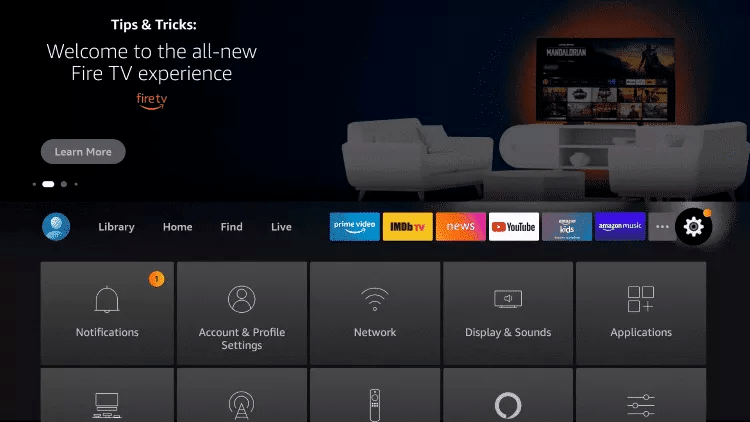
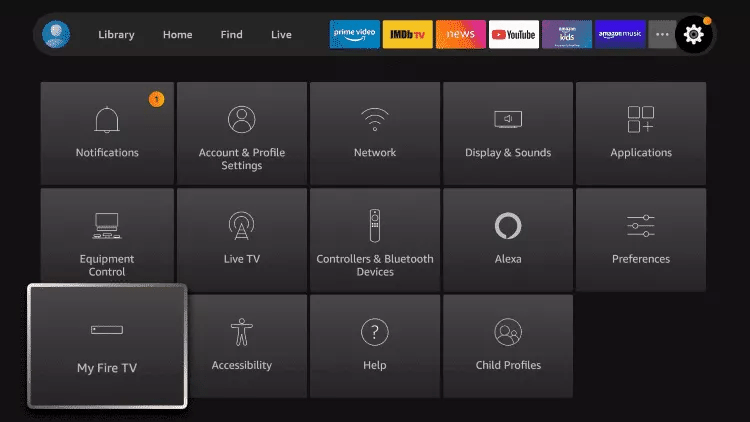
On your Fire TV home screen, go to Settings.
-
Select My Fire TV.
-
Open Developer Options.
-
Turn on Apps from Unknown Sources.
-
Also enable ADB Debugging.
⚠️ Tip: If you don’t see “Developer Options,” follow this quick tutorial to make it appear: https://bit.ly/3jmoPZf.
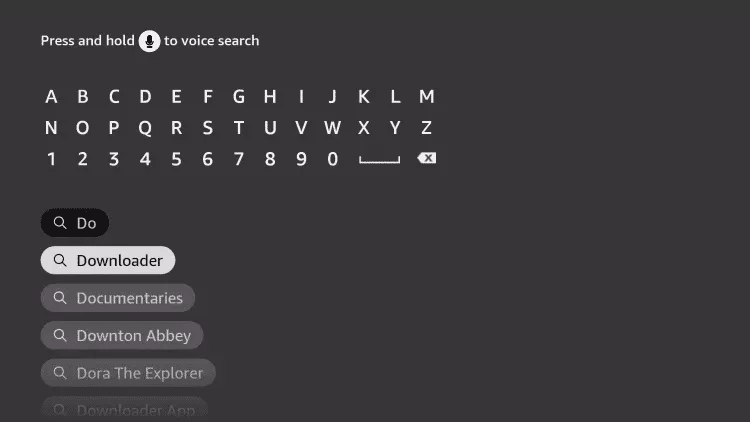
1: From the home screen of your device, hover over the Find option.
2. Click Search.
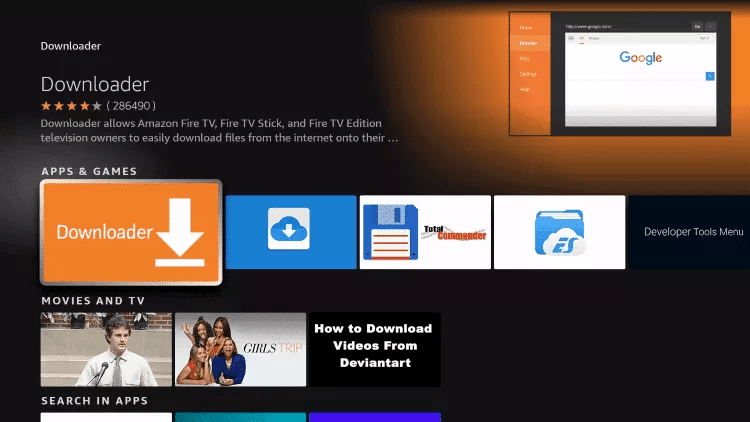
3. Search for and select Downloader.
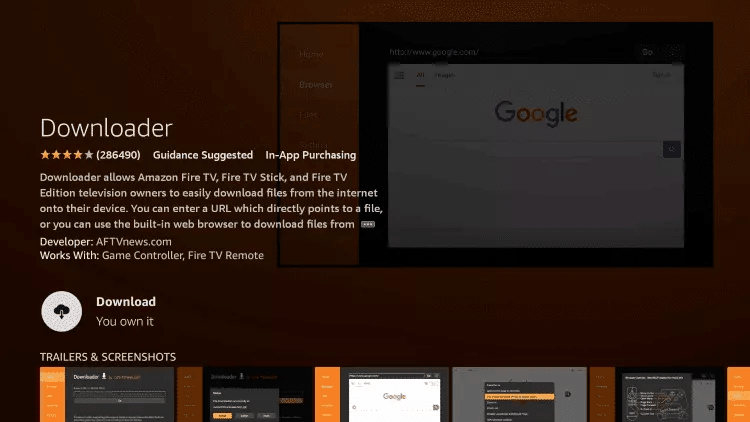
4. Choose the Downloader app.
5. Click Download.
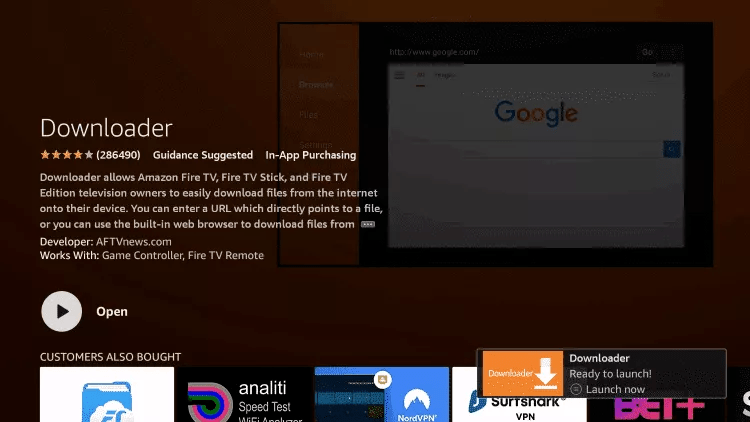
6. Once the app finishes installing click Open.
7. Return to the home screen and open Settings.
8. Click My Fire TV.
9. Choose Developer options.
If you don’t see “Developer Options” button, Here is the trick –> watch this video : https://bit.ly/3jmoPZf
10. Click Install unknown apps.
11. Find the Downloader app and click it.
12. This will turn Unknown Sources to On for the Downloader app. This will enable side-loading on your device.
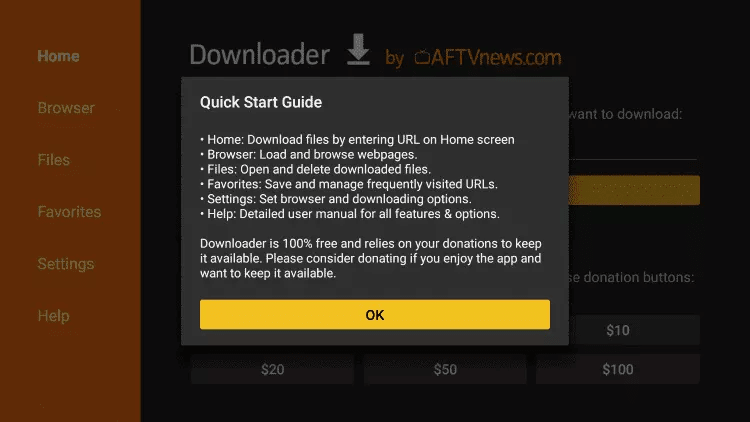
13. Launch Downloader.
14. Click Allow.
15. Click OK.
Troubleshooting Common Issues with IPTV on FireStick
If you experience buffering or loading problems, check your Wi-Fi signal strength, clear cache in the app settings, or restart your Fire TV Stick. These small tweaks can dramatically improve your IPTV on Fire TV Stick performance.
How to Install and Use IBO Player for IPTV on FireStick
Let’s walk through the complete setup process to use IBO Player for streaming IPTV on Firestick in 2025.
Step-by-Step Installation Instructions:
1. Open the Downloader app on your Fire TV Stick.
2. Type the following URL using the on-screen keyboard:
👉 https://shorturl.at/hsMW1
Alternatively, you can enter the Downloader Code: 834339
Click Go, then press OK if prompted.
3. The app will begin downloading the IBO Player APK to your FireStick. This is an important step to get IPTV on Firestick functioning through a third-party application.
4. Once the download is complete, the Downloader app will launch the installer automatically. Click Install.
How to Use the IBO Pro Player App:
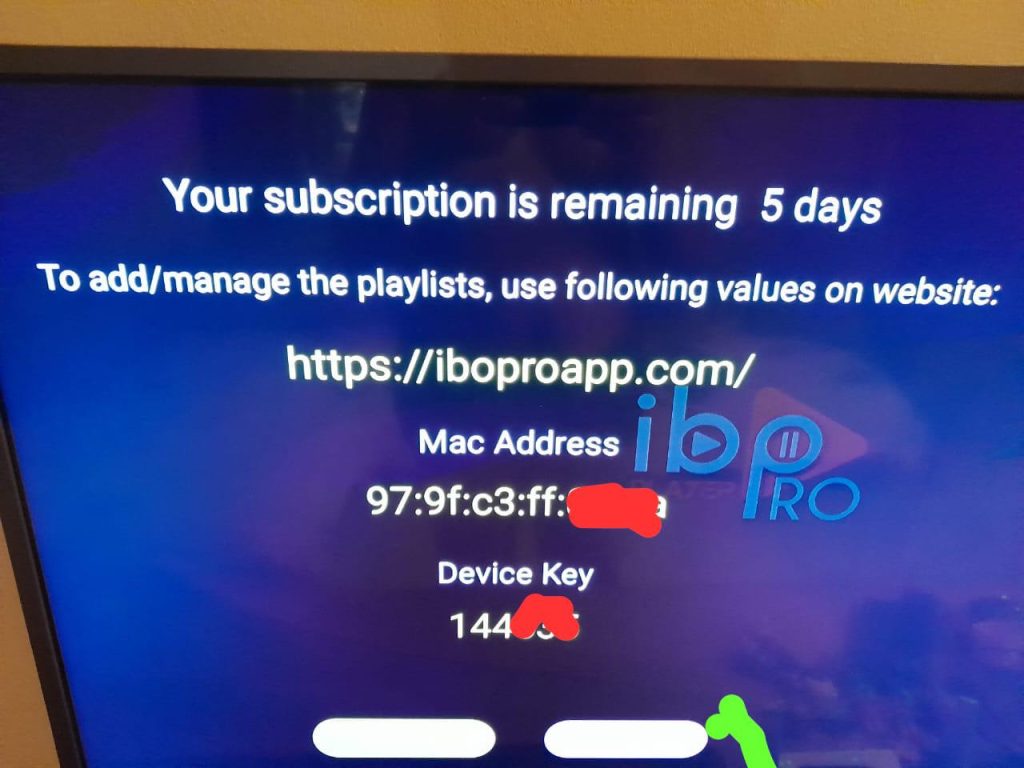
5. Launch the IBO Player app. A screen will appear showing your MAC address and Device Key. Click Continue to proceed.
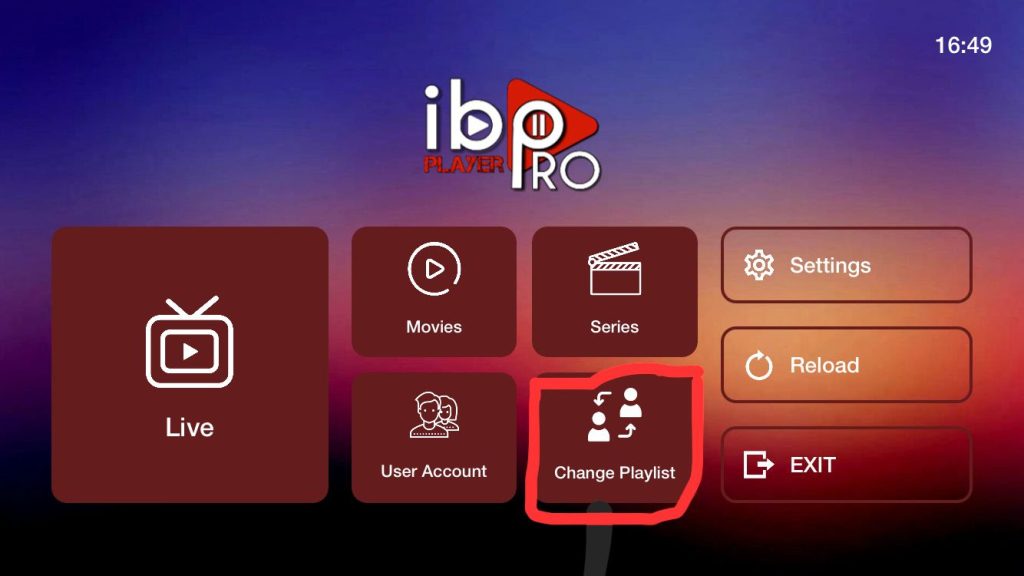
6. You’ll land on the app’s home screen. Click on Change Playlist.
📸 7. Take a photo of the screen that shows your MAC address and Device Key, and send it to us via WhatsApp, Email, or Chat so we can activate your IPTV service.
8. Once we've activated your service, enter the login details we sent you.
9. Congratulations! You’re now ready to stream with IPTV on Firestick using IBO Player. Enjoy access to live TV, movies, and more right from your remote.
Email : Contact@iptvukprime.com
Contact us by clicking the WhatsApp icon to subscribe, get updates, or ask for more details. We're online 24/7!